We get the question a lot: JomSocial has basic Facebook integration already, why would I need JFBConnect? There are tons of great reasons why if you're using JomSocial, you need JFBConnect.
JFBConnect now includes authentication for 16 social networks (Facebook, Twitter, LinkedIn, Google, Windows Live, Yahoo, VK.com, Amazon, Azure, Battle.net, Discord, Instagram, Twitch, EventBrite, Meetup, and GitHub) and profile import.
In short, JomSocial is great for having a community on your site; JFBConnect is what you need to grow that network through social integration.
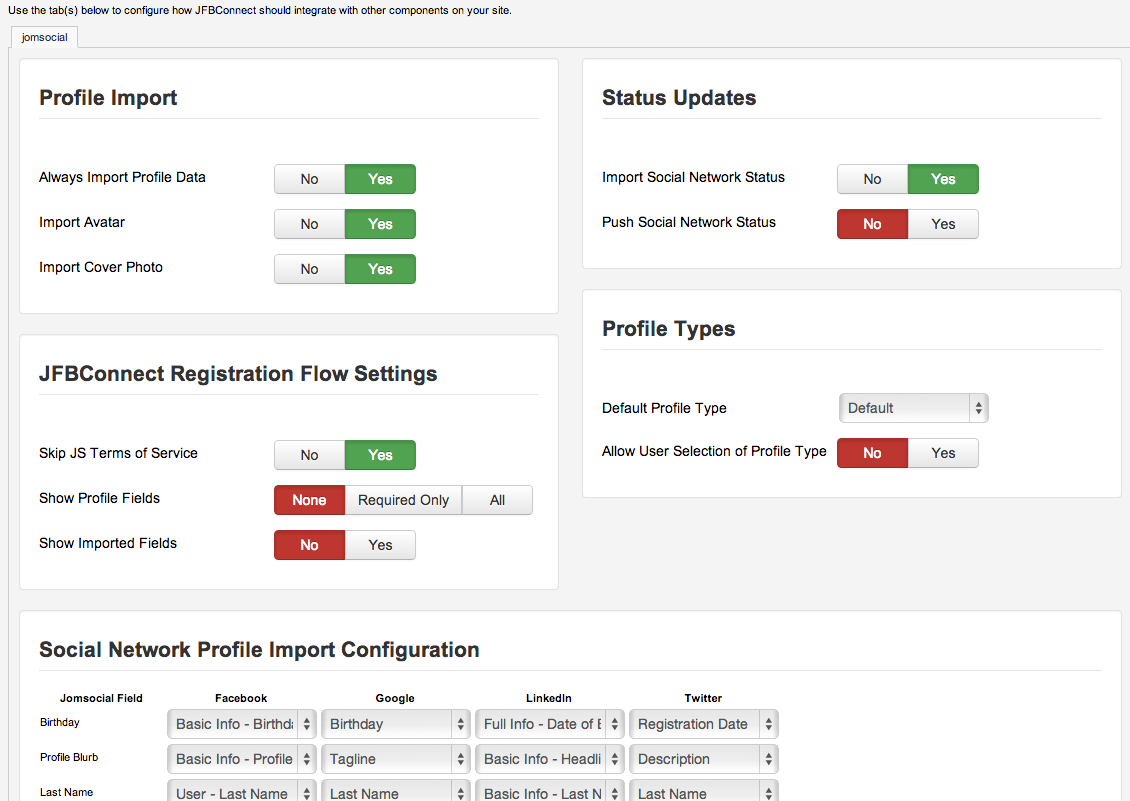 With JFBConnect, you're in full control of the social network registration process.
You can do all of the above, and a lot more. The registration process on any site is one of the most critical things to get right. It's your user's first experience interacting with your site. With JFBConnect, you'll have full control.
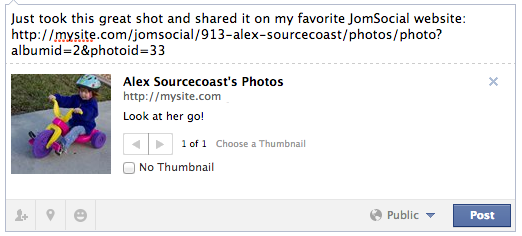 Ever wondered how to control the image, title or description that are used when your content is shared, Like'd or commented on in Facebook? JFBConnect will automatically set these tags for you on your JomSocial profiles, albums, and groups while still giving you flexibility to override the automatic settings where necessary.
This helps you to create rich content on Facebook that will increase user engagement and sharing.
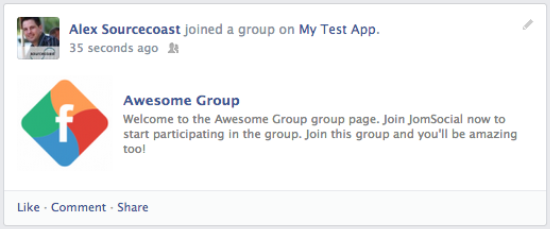 Configure JFBConnect to automatically post new images or some group activity from your site. Each post will have rich Open Graph Tags associated with them ensuring a great looking post including links back to your site.
Even better, create your own actions that you want posted to Facebook. You'll be able to fully control the types of activities that are posted automatically by your users. Your users also have the ability to disable each type of automatic sharing, so you don't have to worry about privacy concerns or unhappy users.
JFBConnect integrates with Joomla articles for enhanced social sharing as well as Kunena, K2, EasySocial, Virtuemart and other extensions. When you install JFBConnect, you'll be adding social integration to your entire Joomla site creating a powerful social sharing mechanism for all your users.