Topic-icon LinkedIn social login/registration NOT working (Joomla 5.4.1 JFBConnect 9.2.4)

5 months 2 weeks ago - 5 months 2 weeks ago #69281 by olivus
Hi Mel,
Hope all is well.
I sent you credentials details via the contact form
Any help would be much appreciated,
Thanks

I updated my website to Joomla 5.4.1 and the JFBC Integration is no longer working for LinkedIn (while it’s working for Facebook).
When I select the LinkedIn button, I got following message : “Danger, this e-mail address is already used. Thanks to use another e-mail address”
To access the Login/Signin Popup :
Go to www.quelpriximmo.com/
and click on the TOP RIGHT button “ESPACE PRO”JFBConnect : 9.2.4
Joomla : 5.4.1

Here below are the details for the developer.linkedin.com Authentification Tab :

OAuth 2.0 settings

Token time to live duration
Access token: 2 months (5184000 seconds)
Authorized redirect URLs for your app OAuth 2.0 scopes
  • Scopes define what your app can do on a user's behalf.
  • The OAuth consent screen will display descriptions to end users as they are seen below. Some variation may occur if your app has a custom OAuth experience.
openid Use your name and photo
profile Use your name and photo
w_member_social Create, modify, and delete posts, comments, and reactions on your behalf
email Use the primary email address associated with your LinkedIn account

Added products
Share on LinkedIn
Default Tier
Amplify your content by sharing it on LinkedIn

Sign In with LinkedIn using OpenID Connect
Standard Tier
Using the OpenID Connect standard

Last edit: 5 months 2 weeks ago by olivus.
The topic has been locked.
Support Specialist
Those settings for your LinkedIn application look correct. I was also able to use my LinkedIn credentials to log in to your site properly. Logging out and then back in also worked correctly.

That warning string isn't in our language files. Could you search through your language / translation files and figure out which key that text belongs to? It'll help narrow down the issue. I logged into the backend and the setting I was going to suggest (to link by existing emails) was already enabled.

Also, can you go into the JFBConnect backend > User Map area and see if the LinkedIn user that you're trying to use already has a mapping?

-Melissa
The topic has been locked.
5 months 2 weeks ago - 5 months 2 weeks ago #69283 by olivus
Hi Mel,Thank you for your message.
The following modification/addition to the .htaccess file resolved the issue without affecting the rest of the site.
It therefore appears to be a cache issue.

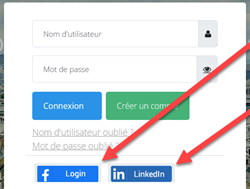
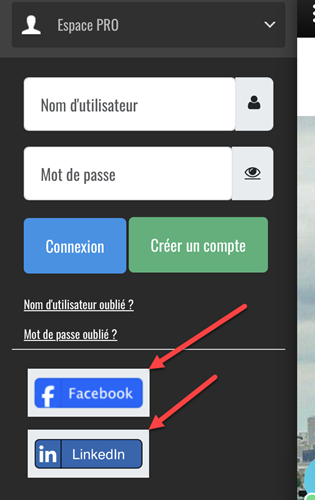
One remaining issue : There is a grey border around social logos that I need to remove/fix, on both mobile & web versions (see pic in attachment).
Any idea where/how to apply the css change ?

Merry Christmas and Happy New Year! !


## Disable caching for authentication / social login (JFBConnect, Joomla Users)
<IfModule mod_headers.c>

# Default: do not force a site-wide Cache-Control here.
# We only prevent caching on sensitive URLs to avoid breaking OAuth/session flows.

# 1) JFBConnect callbacks / endpoints
SetEnvIfNoCase Query_String "(^|&;)option=com_jfbconnect(&|$)" NO_CACHE=1

# Apply no-cache headers when NO_CACHE=1
Header always set Cache-Control "no-store, no-cache, must-revalidate, max-age=0" env=NO_CACHE
Header always set Pragma "no-cache" env=NO_CACHE
Header always set Expires "0" env=NO_CACHE

</IfModule>
Attachments:
Last edit: 5 months 2 weeks ago by olivus.
The topic has been locked.
Support Specialist
.sclogin span {
    background: none !important;
}

Add this to your SCLogin theme file. If you don't have a theme, here's instructions on how to create one.
The topic has been locked.